Dev
The dev app runs the 10x Engine locally to preview how edge and cloud apps will process your log data without requiring backend connections or infrastructure changes.
Workflow
The Dev app processes log files locally on your development machine to preview optimization results and validate configurations before production deployment.
graph LR
    A["<div style='font-size: 14px;'>💻 Local Machine</div><div style='font-size: 10px; text-align: center;'>Load Files</div>"] --> B["<div style='font-size: 14px;'>🔄 Transform</div><div style='font-size: 10px; text-align: center;'>into TenXObjects</div>"]
    B --> C["<div style='font-size: 14px;'>🎁 Enrich</div><div style='font-size: 10px; text-align: center;'>Add Context</div>"]
    C --> D["<div style='font-size: 14px;'>📊 Aggregate</div><div style='font-size: 10px; text-align: center;'>Group by Cost</div>"]
    C --> E["<div style='font-size: 14px;'>🗜️ Encode</div><div style='font-size: 10px; text-align: center;'>Write to File</div>"]
    E --> G["<div style='font-size: 14px;'>🔓 Expand</div><div style='font-size: 10px; text-align: center;'>Expand Events</div>"]
    D --> F["<div style='font-size: 14px;'>📈 Report</div><div style='font-size: 10px; text-align: center;'>Generate Analysis</div>"]

    classDef local fill:#7c3aed88,stroke:#6d28d9,color:#ffffff,stroke-width:2px,rx:8,ry:8
    classDef transform fill:#2563eb88,stroke:#1d4ed8,color:#ffffff,stroke-width:2px,rx:8,ry:8
    classDef enrich fill:#059669,stroke:#047857,color:#ffffff,stroke-width:2px,rx:8,ry:8
    classDef aggregate fill:#ea580c88,stroke:#c2410c,color:#ffffff,stroke-width:2px,rx:8,ry:8
    classDef encode fill:#f59e0b,stroke:#d97706,color:#ffffff,stroke-width:2px,rx:8,ry:8
    classDef decode fill:#ec4899,stroke:#db2777,color:#ffffff,stroke-width:2px,rx:8,ry:8
    classDef report fill:#16a34a88,stroke:#15803d,color:#ffffff,stroke-width:2px,rx:8,ry:8

    class A local
    class B transform
    class C enrich
    class D aggregate
    class E encode
    class F report
    class G decode
💻 Local Machine: Loads log files from your local filesystem or receives events via stdin for processing
🔄 Transform: Structures raw log events into well-defined TenXObjects using symbol libraries
🎁 Enrich: Applies enrichment rules to augment events with intelligent context and classifications
📊 Aggregate: Groups TenXObjects by symbol message to show data volume per event type
📈 Report: Generates cost analysis tables showing optimization opportunities and potential savings
🗜️ Encode: Creates compact output files demonstrating compaction results
🔓 Expand: Expands compact events perfectly using TenXTemplates for validation
Preview Cost Savings
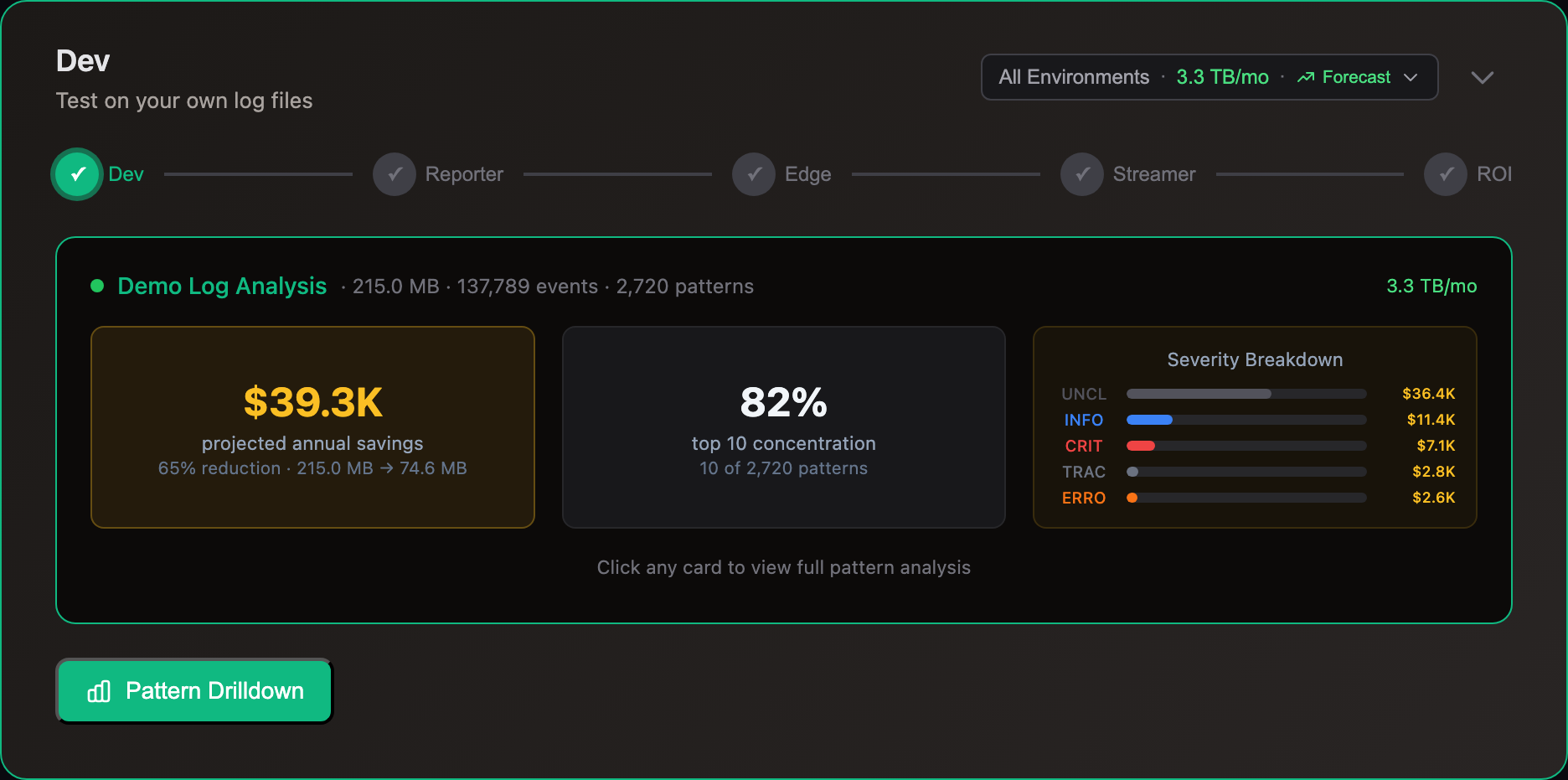
Preview your own log files or sample logs locally. The dev app aggregates events to show exact data volume per event type—a risk-free preview of the information used to power edge and cloud apps.
After running, generate a shareable URL to visualize results in an interactive dashboard with ROI calculator and pattern analysis.
Production Use
10x apps generate similar reports at runtime at the edge and in the cloud:
Reporter
The Cloud Reporter app enables licensing cost optimization by pinpointing of highest-cost app/infra event types within log analyzers (e.g., Splunk, Datadog, Elastic).
The Edge Reporter captures this information directly from log forwarders (e.g., Fluentd/Bit, Otel) before it ships to output.
Prometheus-compliant REST APIs enable AI/ML processing, alerting and automation.
Regulator
The Edge Regulator app prevents over-billing by enforcing precise policies that filter 'noisy' log events before they ship to log analyzers.
Optimizer
The dev app demonstrates real-world savings offered by the Edge Optimizer in production environments.
Optimizing OpenTelemetry k8s sample logs files demonstrates 65% lossless volume reduction:
| Metric | Sample Logs | Encoded.log | Templates.json |
|---|---|---|---|
| Size | 205 MB | 71.3 MB | 9.1 MB |
The encoded.log output file containing lossless compact events weighs 71.3 MB (65% reduction from 205 MB).
The templates.json file contains unique TenXTemplates (reusable patterns), enabling the 10x engine to expand compact events perfectly.
To test expanding simply swap the input files with encoded.log and run the app again. View expanded events in the output decoded.log file.
Streamer
The Storage Streamer app reduces licensing costs by expanding and delivering selected events from low-cost storage (e.g., S3) to log analyzers (e.g., Splunk) and time-series Dbs (e.g., Datadog) periodically or on-demand.
Write Custom JS Logic
Write and test custom JavaScript to further enrich, filter and output TenXObjects with real log data using the JavaScript API. Catch errors and validate rules locally before production deployment.
Build Custom Integrations
Extend the polyglot compiler with new languages or build custom runtime modules to integrate additional log forwarder, analyzer and storage types. Test locally before deployment or community contribution.
This app is defined in dev/app.yaml.